Rotate manually?
We have multiple text objects aligned to a specific object. However, when we go to layout rotate the view and our text is turned upside down. What should we do? Rotate, rotate, rotate… until all the text is facing the “correct” way. Maybe if we are new to AutoCAD…
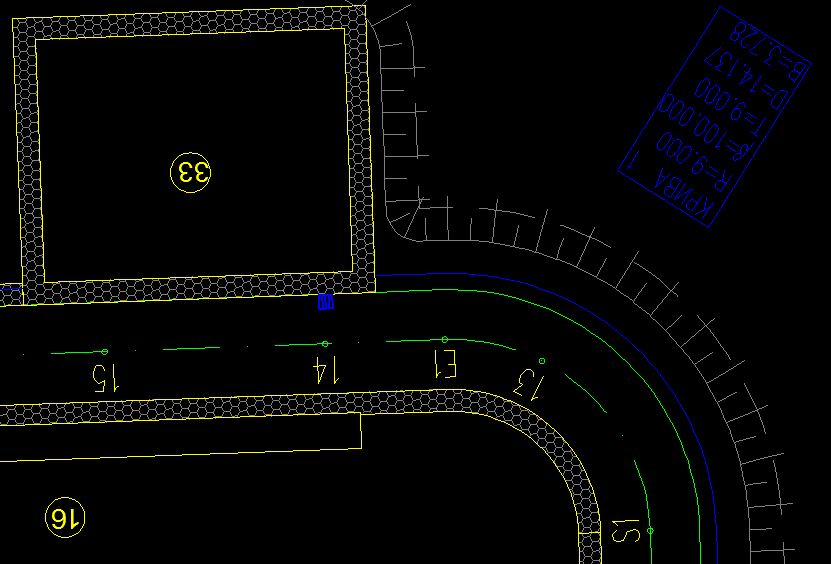
Auto-Rotate Text in AutoCAD
Today we will take a look at one more very interesting Express Tool command - TORIENT (to remember it easier I think of Text orientation). We can find the command also in express tools ribbon if we don’t want to remember it.
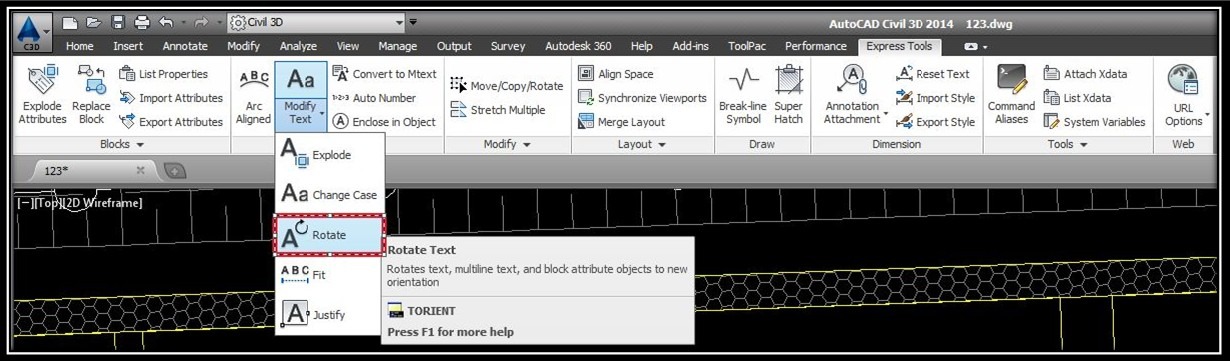
This command rotates text, mtext, and attribute definition objects so that they end up being more readable. Objects are rotated about their middle point in 180-degree increments. As an option, we can specify a new absolute orientation angle for all selected text objects.
How to use it? Well, we will go through all the steps here:
- Type in TORIENT (or choose it from the Express Tools ribbon)
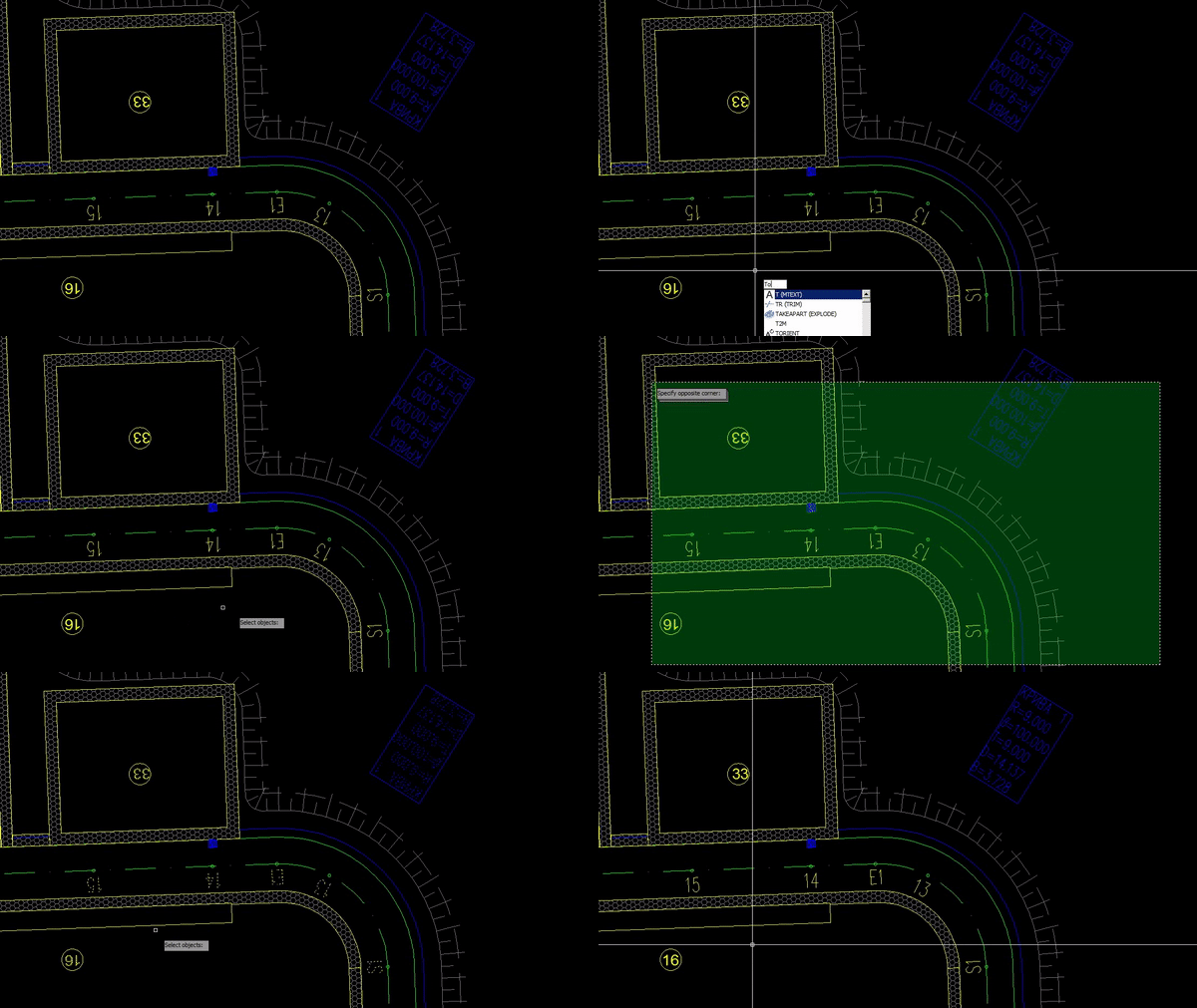
- AutoCAD will ask us to select objects, so we select the one we want to rotate and hit enter.
- Now we have to choose an option - New absolute rotation or **Most Readable.**I find Most Readable great in the most cases. Hit enter and we are ready! Our text is rotated!
When to use it
Use TORIENT when you rotate a view or a viewport on a layout and some of the text ends up upside down. This often happens with labels that follow lines in different directions, such as street names, pipe labels or dimensions made with text. Instead of rotating each label by hand, you select them all and let the command fix them in one go.
Tips and common mistakes
- Select all the text, mtext and attribute definitions you want to fix, and then press Enter before choosing an option.
- Choose Most Readable for most cases, as it turns the text to read more easily. Choose New absolute rotation only if you want every selected object at the same angle.
- Check the result on a few labels afterwards. The command rotates objects about their middle point, so the text stays near its original place.
Related tutorials
Try it on your own drawing
TerraDraft Lite is free to download.